Best Proxies for Yeezys: Datacenter, ISP & Residential Plans Compared

Selecting the best proxies for Yeezys allows bot operators to run multi-task checkouts with your mind at ease during queue drops. Across 3 primary proxy classes benchmarked since the 2021 release era, monthly 25-IP datacenter plans range from $16.50 to $45 per provider schedules. Operators balance ASN reputation, Cloudflare scores, and ping latency across every launch.
- 3 Core Proxy Classes: Sneaker checkout setups combine rotating residential pools (priced per gigabyte), static ISP subnets, and dedicated datacenter IPv4 addresses.
- Provider Price Benchmarks: Monthly 25-proxy datacenter plans cost $45 at Oculus Proxies and $40 at Chi-Cooked Proxies, while Leaf Proxies starter packs begin at $16.50 per schedule.
- HTTP Status Telemetry: Per IETF RFC 9110 standards, HTTP 403 Forbidden and HTTP 429 Too Many Requests responses signal immediate IP rate limiting or firewall blocks.
- Queue Session Rules: Waiting-room drops on Confirmed and Shopify require sticky residential or static ISP sessions so the checkout token stays bound to one IP.
Why Do Multi-Task Yeezy Drops Require Dedicated Proxy Subnets?
Multi-task sneaker drops require dedicated proxy subnets because retail firewalls block multiple checkout requests from a single home IP address. During peak 2021 Yeezy Supply, Confirmed, and Shopify launches, security filters flagged any IP submitting more than 3 concurrent requests. Routing each bot task through a distinct IPv4 address isolates session cookies. That separation prevents blanket subnet bans across your setup.
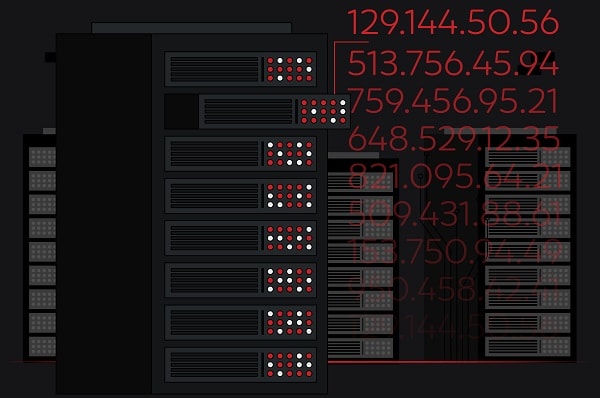
According to IETF RFC 9110 HTTP Semantics, an intermediary proxy forwards client requests while masking the origin host. When a retail edge server returns status code 403 Forbidden or 429 Too Many Requests, the bot rotates to a clean IP. Reviewing the best proxies for sneaker sites helps operators match subnet types to specific anti-bot engines. Clean IP pools keep multi-task checkouts running smoothly.
How Do Datacenter, ISP, and Residential Proxies Differ?
Datacenter, ISP, and residential networks differ in their Autonomous System Number (ASN) registration, bandwidth pricing, and round-trip speed. As documented in ARIN’s Autonomous System Number guide, every IP block belongs to a registered network operator. That routing policy is publicly visible to retail servers. Firewalls inspect the ASN record during the TLS handshake to classify incoming traffic. Each network tier serves a distinct drop format.
Datacenter (DC) plans run on cloud servers with sub-20ms ping times and unlimited bandwidth. They cost $40 to $45 per 25 IPs monthly according to provider schedules. Residential pools route through consumer broadband connections billed at $8 to $15 per gigabyte, making them ideal for waiting rooms. Static ISP plans blend server speed with consumer ASN registration on Shopify sneaker proxy setups.
How Do Oculus, Leaf, and Chi-Cooked Proxy Plans Compare?
Oculus, Leaf, and Chi-Cooked established the 3 benchmark pricing tiers for sneaker datacenter and residential plans during the 2021 release cycle. According to announcements from Oculus Proxies on X, their monthly 25-IP datacenter packages cost $40 to $45 per subnet tier. Oculus pairs those Virginia and New York subnets with high-speed static ISP and residential pools. Ashburn server proximity keeps ping times below 15 milliseconds.

Meanwhile, Leaf Proxies on X offered entry-level datacenter monthly packs starting at $16.50 alongside metered residential gigabyte plans. Chi-Cooked priced its 25-IP monthly datacenter plan at $40, focusing on Chicago and Virginia server locations near retail CDN edges. Operators chasing the best Yeezy colorways split tasks across two providers for subnet redundancy. Mixing Virginia and Chicago server locations balances regional routing.

| Provider / Network Tier | Package Allocation | Monthly Plan Price | Primary Retail Target |
|---|---|---|---|
| Oculus DC / ISP Subnets | 25 Dedicated IPs | $40.00 – $45.00 | Shopify Boutiques & Footsites |
| Leaf Datacenter Starter | Starter DC Pack | $16.50 | Restock Monitors & Shopify |
| Chi-Cooked Datacenter | 25 Dedicated IPs | $40.00 | Low-Latency Restock Tasks |
| Rotating Residential Pool | 5 GB Metered Data | $45.00 – $65.00 | Queue Drops & Waiting Rooms |
How Does Cloudflare Bot Management Score Sneaker Proxy Traffic?
Cloudflare Bot Management and Akamai edge filters evaluate incoming sneaker traffic using ASN lookups, TLS fingerprints, and behavioral scoring. Per Cloudflare’s Bot Management documentation, automated traffic is scored from 1 to 99 based on IP reputation and request cadence. Commercial cloud ASNs receive stricter challenge thresholds than residential broadband networks.

During queue-based drops, the waiting room assigns a session token tied to the visitor’s initial IP address. If a rotating residential port changes its exit IP mid-checkout, the edge firewall invalidates the session token. That forces the task back into the waiting room. Configuring sticky residential ports with 10-to-30-minute session persistence prevents token mismatches during payment submission.
“Queue-based sneaker releases reward session stability over raw ping speed. A sticky residential IP on a clean consumer ASN passes waiting-room checks far more reliably than a flagged cloud subnet.”
What Proxy-to-Task Ratios Prevent HTTP 429 Rate Limits?
Maintaining a strict 1:1 ratio between static IPs and checkout tasks prevents HTTP 429 rate-limit bans across Shopify and queue releases. When an operator assigns 25 dedicated ISP or datacenter IPs to 25 active bot tasks, each address polls at 2,500ms to 3,500ms. Doubling tasks on the same static IP cuts the effective delay in half. That spike triggers temporary firewall blocks.
For rotating residential pools billed by data volume, operators generate 3 to 5 unique credentials per checkout task. The bot can then cycle away from throttled nodes automatically during peak queue traffic. Blocking non-essential image and font payloads inside bot settings keeps residential data usage under 15 megabytes per hour per task. Pre-testing every list 30 minutes before launch removes dead IPs.
| Network Class | Recommended Task Ratio | Optimal Polling Delay | Average Ping (Ashburn VA) |
|---|---|---|---|
| Static ISP Subnets | 1:1 (25 IPs per 25 Tasks) | 2,500ms – 3,000ms | 8ms – 18ms |
| Dedicated Datacenter (DC) | 1:1 (25 IPs per 25 Tasks) | 3,000ms – 3,500ms | 5ms – 15ms |
| Sticky Residential Sessions | 2:1 (50 Ports per 25 Tasks) | 3,500ms – 4,500ms | 45ms – 95ms |
| Rotating Residential Pools | 3:1 (75 Ports per 25 Tasks) | 4,000ms – 5,000ms | 60ms – 130ms |
How Do Operators Pair Proxy Pools with Automated Sneaker Bots?
Pairing IP lists with automated checkout software requires separating monitoring pools from checkout task pools inside the bot dashboard. Assigning unbanned datacenter or ISP addresses to product monitor threads conserves metered residential gigabytes until inventory loads. Once the monitor detects live stock, checkout tasks fire using clean residential or static ISP addresses. That workflow keeps bandwidth costs predictable across monthly release calendars.
Users comparing the best sneaker bots evaluate Valor AIO, Cybersole, Stellar AIO, and NikeShoeBot for multi-group management. Importing separate IP lists for Shopify boutiques, SNKRS accounts, and demand-ware queues isolates rate limits per storefront. Rotating fresh residential ports before each drop ensures high task survival during multi-hour launches. Saving separate billing profiles for each task group completes the pre-drop checklist.
Should I use residential or datacenter IPs for waiting-room drops?
Sticky residential ports and clean static ISP addresses perform best on waiting-room drops because consumer ASN registrations pass Cloudflare queue checks. Standard cloud datacenter subnets are more frequently throttled during splash queues.
How much residential data does a sneaker drop consume?
Running 50 checkout tasks for one hour during a queue drop consumes 0.5 GB to 1.2 GB of residential data. Enabling image blocking in bot settings reduces bandwidth consumption by up to 60% per guide benchmarks.
Tagged