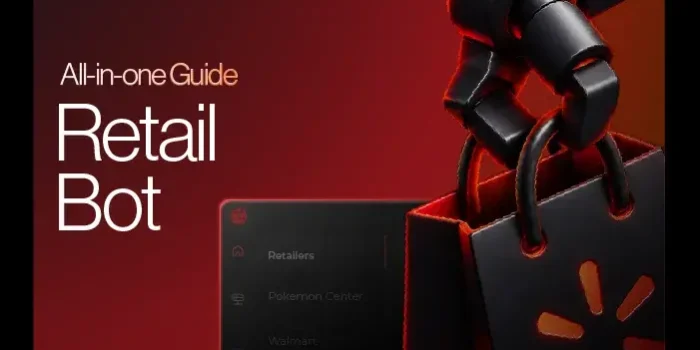
A retail bot is a software tool that watches a store page, adds the item to your cart, and checks out for you in seconds. It does for Amazon, Walmart, Best Buy, and Pokémon Center what a sneaker bot does for Nike SNKRS. We need them because limited restocks sell out faster than anyone can click, and the best ones today cost between $698 and $2,449 in the first year, by our arithmetic on vendor prices.
- A retail bot runs through your own store login, saved address, and card, so account health matters as much as speed.
- First-year cost across the four bots we compare runs from $698 to $2,449, using the vendor prices on our July 7, 2026 comparison (arithmetic in the cost table).
- An $800-a-year bot breaks even after 35 flips at an illustrative $23.20 profit each, per the worked example below.
- The 2016 BOTS Act covers event tickets only, per Total Retail, and the Stopping Grinch Bots Act of 2025 for retail goods was introduced on December 17, 2025, per GovInfo, and The Lobby News tracker still lists it in committee.
- Implicator reports that Amazon blocked Meta’s Muse AI agent from shopping on Amazon.com on September 20, 2026.
What Is a Retail Bot?
A retail bot is a sneaker bot for everything else. It automates buying on stores like Amazon, Walmart, Best Buy, Target, Pokémon Center, and Pop Mart, running the same watch, cart, and checkout loop you already know from SNKRS and Footsites. The difference is the shelf: cards, consoles, GPUs, designer toys and collectibles instead of shoes.
Collectors use one to pay retail instead of aftermarket prices, and resellers use one to land enough units to run a business. Both groups are chasing the same thing, which is stock that sells out in minutes at the shelf price. You are probably in one camp or the other, and this guide works for both.
We keep a guide for every major retailer, and we link to each one below so you can jump to your store.
What Types of Retail Bots Are There?
A retail bot falls into one of four types, defined by how much of the purchase the software handles and how many stores it covers. A monitor handles the least, and an all-in-one tool handles the most.
| Type | What it does | Best for | Guide |
|---|---|---|---|
| Single-site checkout bot | Carts and pays on one retailer | A store you buy from often | Amazon bot |
| All-in-one (AIO) bot | Covers many retailers in one tool | Resellers working across categories | AIO bot |
| Monitor | Alerts you to stock changes; you check out | Learning a store’s restock pattern | How bots work |
| Raffle entry bot | Submits entries to draws | Raffle-based releases | Riot Games bot |
Most beginners start with a monitor and move to a checkout bot once they know what a store’s restocks look like. Resellers drift toward AIO tools because one license covers the whole shopping list, though a single-site tool may handle one store more closely.
None of these types changes the basic rule: the bot buys through your account, so the account and the payment details decide whether an order sticks.
How Does a Retail Bot Work?
A retail bot works through your own store account, which means the software is only as good as the login behind it. The loop is monitor, cart, checkout: it watches a product or keyword, adds the item when stock appears, then submits the order with the address and card saved on that login.
That is why we spend as much time on setup as on software. A locked login ends that task, and a flagged payment can get an order cancelled after checkout. Our Amazon accounts guide covers account types and what a clean setup needs.
Bulk tasking lets you run several tasks on one release, but more tasks buy you more attempts, not a right to the stock.
What Does a Retail Bot Need to Run?
A retail bot needs four things to run: a machine, a retailer account, a payment method, and a clean connection.
The machine is the easy part, since all four tools in our cost table list Mac and Windows support. The account is the hard part. A bot checks out as you, so the login, saved address, and card decide whether an order is accepted or flagged, and our Amazon accounts guide shows what a clean setup looks like.
The connection is where residential proxies come in for people running many tasks. Start small: one account, one card, and a handful of tasks, then add more only once you know how the store reacts.
Which Sites Does a Retail Bot Work on?
A retail bot works on any store with a normal cart and checkout, but support depends on the tool, so we keep one guide per retailer.
- Amazon: the biggest target. Start with the Amazon bot guide, then compare the best Amazon buying bots.
- Pokémon and cards: the Pokémon bot guide and our Topps bot page for sports cards.
- Collectibles: the bot for Bandai guide and Pop Mart.
- Electronics: the Walmart bot, Best Buy bot, and GPU bot guides, plus MediaMarkt for European electronics.
- Other marketplaces: the bot for AliExpress guide.
Check a tool’s supported-sites list before you pay, because a bot that nails one store can miss another.
Retail Bot vs Sneaker Bot: What Is the Difference?
A sneaker bot is built for scheduled releases on a handful of sneaker stores, while a retail bot is built for the unscheduled restocks and long product lists of big-box and specialty retailers.
In our experience, the gap shows up in three places. Release times are announced for sneakers and often invisible for restocks, so monitoring matters more. Big retailers lean harder on account history and payment checks than a Footsites drop does. And quantity limits are common on cards and consoles, so one successful task rarely means a stack of units.
The tools overlap heavily, which is why the same all-in-one license often covers both. If you started on shoes, our best sneaker bots roundup is the right starting point, and the loop above will feel familiar.
How Much Does a Retail Bot Cost?
Retail bot pricing comes in three shapes: a flat period price, a rolling monthly rate, or a big upfront fee plus a monthly rate. Sticker prices do not compare directly, so we converted each one to a first-year cost.
The prices in the comparison below are as of July 7, 2026, so confirm each on the vendor’s own pricing page before you buy. We make NikeShoeBot, so we listed the four from highest to lowest first-year cost, not by preference.
| Bot | Listed price | Sites listed | First-year cost (our calculation) |
|---|---|---|---|
| Refract | $1,999 for the first 3 months, then $50 per month | Amazon, Walmart, Target, Best Buy, Apple | $1,999 + (9 × $50) = $2,449 |
| Stellar AIO | $299 every 3 months | Amazon, Walmart, Pokémon Center, GameStop (100+ sites total) | 4 × $299 = $1,196 |
| NikeShoeBot | $399 every 6 months | Nike, Amazon, Pokémon Center, Footsites, Shopify, Supreme, Topps, AliExpress (100+ retailers) | 2 × $499 = $998 |
| The Shit Bot | $499 every 6 months (occasional discounts available) | Nike SNKRS, Pokémon Center | 2 × $399 = $798 |
Accounts, proxies, and the items themselves come on top, and all four list Mac and Windows support.
How Do You Choose a Retail Bot?
Choosing a retail bot comes down to five checks: the stores it supports, how it bills, your operating system, how fast it updates, and how its support behaves.
- Stores: does the supported-sites list cover where you actually buy?
- Billing: compare first-year cost, not the sticker price, using the table above.
- System: confirm Mac or Windows support for your setup.
- Updates: retailers change checkout flows, so ask how quickly the team ships fixes.
- Support: read recent user reports and test the team’s response before paying.
Be wary of any listing that promises guaranteed hits, because stock, queues, and cancellations sit outside any developer’s control. We make one of the tools in the table, so weigh our word the way you would weigh anyone’s, and check the vendors’ own pages and community reports.
Does a Retail Bot Pay for Itself?
A retail bot pays for itself only when profit per flip, times the number of flips, covers its yearly cost, so the maths matters more than the hype.
Here is an illustrative flip with made-up round numbers, not market data. Buy at $50.00 retail, sell at $90, pay a 12% platform fee (10.80) and $6.00 shipping. That leaves $23.20 profit, or 46.4% on cost. Swap in your platform’s real fee from its own fee page.
| Flips per year | Bot cost per flip ($800 ÷ flips) | Profit per flip after bot cost |
|---|---|---|
| 20 | $40.00 | -$16.80 |
| 40 | $20.00 | $3.20 |
| 100 | $8.00 | $15.20 |
Break-even lands at 35 flips ($800 ÷ $23.20 = 34.5, rounded up). That ignores proxies, accounts, and cancelled orders, which all push it higher.
Where Do You Sell What a Retail Bot Buys?
The resale side is where a retail bot’s purchases turn into cash, and it determines most of the margin.
Our retail arbitrage guide walks through buying at retail and selling for more, and how to sell on Whatnot covers live selling, which suits cards and collectibles. If you are coming from shoes, how to become a sneaker reseller covers the business side.
Whatever the platform, check its current fee page before you price anything, count shipping and returns, and keep a record of every unit. A flip that looks good before fees can turn flat after them, which is why the break-even table above matters. Check recent sold listings, not asking prices, before you buy in bulk.
Does a Retail Bot Work on Raffles?
A raffle replaces the checkout race with a random draw, so a retail bot’s job changes from beating the clock to submitting valid entries. Plenty of stores moved to draws after open sales got overwhelmed by automated traffic.
Riot Games is a recent case. Per our Riot Games bot write-up, Riot ran early Riftbound preorders first come, first served, cancelled a batch of bot orders after the launch, then moved to a 48-hour drawing with what it describes as multiple layers of checks.
A draw only stays fair when each entry is one real person, which is why stores keep adding identity checks and entry limits. Treat any promise of guaranteed raffle wins with suspicion.
How Do Retailers Fight a Retail Bot?
Retailers fight automated buying with a mix of technical blocks, queues, draws, and purchase limits, and the mix changes every year. For example, Eftsure’s glossary lists blocking IP addresses previously used by bots, restricting account creation by region, and forcing JavaScript execution to tell bots from real browsers.
Queues and raffles change the incentive. A virtual waiting room spreads buyers out in time, and a draw removes the speed advantage entirely, as in the Riot case above.
The newest move is blocking by terms of service, which is what Amazon did to Meta’s Muse agent. That is a policy decision, not a technical one, so expect it to spread to any automated buyer that does not identify itself.
What Are the Risks of a Retail Bot?
The risks of a retail bot fall into four buckets: cancelled orders, locked accounts, flagged payments, and money spent on a tool that misses.
Cancelled orders are the most common, since a store can void an order after checkout, as Riot did with a batch of Riftbound preorders. Locked accounts end every task tied to that login. Flagged payments can freeze a card at the worst time.
The fourth bucket is plain cost. An $800 year that nets fewer than 35 flips loses money, as the break-even table above shows. Treat the tool as a business expense and size your spend to the margin you can verify. Scams also exist in the market for bots, so buy from the vendor’s own site and keep your receipts.
Retail Bot vs AI Shopping Agent: What Is Different?
An AI shopping agent is an assistant that takes a goal like “find me a good option under $100” and then researches, picks, and buys, while a retail bot runs a fixed checkout on a product you already chose. eMarketer describes agentic commerce as shopping where AI agents autonomously discover, compare, and purchase on behalf of consumers.
Retailers are split. eMarketer says Google’s Universal Commerce Protocol is an open standard meant to let agents complete purchases across retailers, yet several major retailers have taken defensive action against outside agents. Amazon went furthest with Meta’s Muse, and Adweek reports that shoppers saw this pop-up:
Continued access by an unauthorized AI agent violates Amazon’s Conditions of Use
Implicator reports that Amazon says Meta gave no notice and the agent does not identify itself, while Meta says Muse has no visibility into passwords or payment methods. We unpack the fallout as Amazon blocked Meta’s Muse right here.
| Date | Event | Source |
|---|---|---|
| Nov 2025 | Amazon sues Perplexity over its Comet browser | Shelly Palmer |
| Mar 2026 | Amazon wins a preliminary injunction against Perplexity | Shelly Palmer |
| Aug 4, 2026 | The Ninth Circuit lifts it, ruling the user is the party accessing Amazon’s computers under federal anti-hacking law | Shelly Palmer |
| Sept 8, 2026 | Meta launches Muse | Implicator |
| Sept 20, 2026 | Amazon blocks Muse, citing its Conditions of Use | Implicator |
What Is Next for the Retail Bot?
The next phase for the retail bot is a split between tools that act as you and AI agents that act for you, with retailers choosing sides one store at a time.
Fast Company reports that Walmart partnered with OpenAI so people can shop directly from ChatGPT, while Amazon blocks AI agents from crawling its site. The State of AI predictions page says no major retailer had yet attributed more than 5% of online sales to agentic checkout.
Our read is that holiday 2026 is the first real test, so expect more blocks, more identity checks, and more retailer-owned agents, with rules that shift mid-season. For a buyer, that means the setup that worked last quarter may not work this one, so recheck a store’s rules before every big drop.
Is a Retail Bot Legal?
Using a retail bot is generally not a crime for ordinary retail goods in the US, but it usually breaks the store’s terms of service. ExpressVPN says sneaker bots are not necessarily illegal, though the activity they enable could be, and Imperva notes they violate the terms of many websites. Tickets are the exception, since Nintendo Wire reports the 2016 BOTS Act banned scalper bots for event tickets.
For retail goods, the Stopping Grinch Bots Act of 2025 arrived as S. 3516 and H.R. 6822 on December 17, 2025. Legiplex’s summary says it targets bots that circumvent the purchase limits and control measures retailers set, with enforcement by the FTC and state attorneys general.
The Lobby News tracker shows S. 3516 still referred to committee with no markup recorded, and earlier versions never became law. Laws differ by country and state, and this is not legal advice.
| Year | Measure | What it does | Where it stands |
|---|---|---|---|
| 2016 | BOTS Act | Bans bots that buy event tickets and the resale of those tickets (Nintendo Wire) | Law |
| 2018 | Stopping Grinch Bots Act | Proposed to curb bots that get around e-commerce security controls (Infosecurity Magazine) | Never became law, per Tom’s Guide |
| 2019 | H.R. 5263 | Same proposal, introduced November 22, 2019 (LegiScan) | Died in committee |
| 2021 | Stopping Grinch Bots Act | Reintroduced in the House and Senate (Nintendo Wire) | Not enacted (reintroduced again in 2025) |
| Dec 17, 2025 | Stopping Grinch Bots Act of 2025 (S. 3516, H.R. 6822) | Introduced in the Senate on December 17, 2025 (GovInfo); the House version was referred to the Energy and Commerce Committee (PolicySoup) | In committee per trackers |
How Do You Get Started with a Retail Bot?
Starting with a retail bot means picking one category, one tool, and one clean account before you scale anything.
- Pick one category, such as cards, GPUs, or consoles, and read its guide above.
- Choose a bot that lists your retailers, using the cost table to compare first-year spend.
-
- Start with one real, aged login and learn how the store treats it (The Amazon accounts guide covers this).
-
- Run a few low-stakes restocks before a hyped drop.
- Log what went through and what got cancelled after every drop.
- Price the resale side before you buy in bulk.
No tool guarantees stock, and cancellations after checkout happen, so budget for misses.