How to Bot Shopify Like a Pro: Complete Setup and Timing Guide

Learning how to bot Shopify like a pro requires pairing multi-site checkout software with low-latency proxies, accurate keyword filters, and Queue-it timing. This is the only setup guide you need to configure 2,500 to 3,500 millisecond monitor delays across 100+ sneaker boutiques. Proper task preparation prevents HTTP 429 rate limits during 10:00 AM EST releases of $115 to $230 footwear.
- Target Boutique Ecosystem: Covers 100+ merchant domains including Kith, Supreme, Palace Skateboards, Undefeated, Bodega, Concepts, and Union LA.
- Proxy & Delay Benchmarks: Run a 1:1 proxy-to-task ratio using ISP and residential subnets with 2,500ms to 3,500ms monitor delays to avoid HTTP 429 bans.
- Product Matching Modes: Combine direct 14-digit variant IDs or early URLs with positive and negative keyword strings (such as
+jordan,+chicago,-gs,-td). - Queue-it & Pre-Drop Timing: Launch tasks the exact second Queue-it virtual waiting rooms open, or 5 to 10 minutes before unqueued releases.
Which Sneaker Bots and Boutique Sites Matter When Learning How to Bot Shopify?
Selecting an all-in-one automation platform is the first step in mastering how sneaker botting works across independent boutiques. Over 100 Tier-0 footwear and streetwear stores operate on the same underlying e-commerce checkout architecture. Major merchants include Supreme online drops, Kith, Palace Skateboards, Undefeated, Concepts, Bodega, Shoe Palace, and Dover Street Market. Regional skate shops and lifestyle retailers also use this exact cart system.

Because these merchants share a unified checkout pipeline, one multi-site platform can target multiple product categories. Operators run tasks for $115 Nike Dunks, $180 to $230 Air Jordans, and $48 to $168 streetwear capsules drops. Our industry comparison of the best sneaker bots evaluates leading multi-site platforms. Top options include Valor AIO, Cybersole, Wrath, Stellar AIO, and NikeShoeBot across major retail releases.
How Do Cook Groups and Proxy Ratios Prevent Storefront IP Bans?
Boutique sneaker releases typically sell out in 5 to 30 seconds, leaving zero margin for network errors. Joining one of the top sneaker cook groups gives operators early store lists and drop times. Discord monitors also post site-specific bot-protection alerts before launch. Per Shopify storefront API rate-limit documentation, merchant servers throttle IP addresses that submit excessive polling requests within a 60-second window.
Operators avoid HTTP 429 throttling by pairing each task with a dedicated IP from verified sneaker proxy providers. Running a strict 1:1 proxy-to-task ratio keeps every checkout thread isolated during peak launches. Static Virginia (Ashburn) ISP proxies handle monitor threads at 2,500 to 3,500 millisecond intervals. Meanwhile, rotating residential proxies handle checkout tasks where firewall filters inspect residential ASN reputation.
| Storefront Protection Level | Recommended Proxy Type | Monitor / Retry Delay | Optimal Proxy-to-Task Ratio |
|---|---|---|---|
| Unqueued Standard Drop (FCFS) | Virginia Static ISP (25-50 IPs) | 2,500ms monitor / 1,500ms retry | 1:1 (1 ISP IP per task) |
| Queue-it Virtual Waiting Room | Residential + Static ISP Mix | 3,000ms monitor / 2,500ms retry | 1:1 across 20 to 50 tasks |
| Password Page Pre-Drop | Dedicated Static DC / ISP | 3,500ms monitor / 2,000ms retry | 1:1 on monitor threads |
| 24/7 Restock Monitoring | Unmetered Static ISP Subnet | 3,500ms to 5,000ms polling | 2:1 (2 IPs per monitor task) |
When Should Tasks Use Early Product Links Versus Keyword Filters?
When configuring tasks for how to bot Shopify, operators choose between direct product URLs and keyword strings. Some boutiques pre-load scheduled footwear onto their catalog hours before launch with inventory quantities set to zero. Entering that direct early link or 14-digit variant ID lets the task skip catalog parsing. The checkout thread can then submit an immediate add-to-cart POST request the moment stock loads.
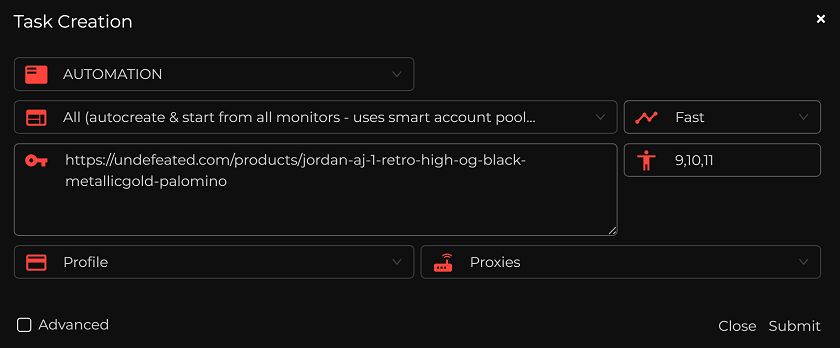
Many boutiques scramble URL slugs or enable password pages until 10:00 AM EST to block link scraping. On those drops, tasks rely on positive and negative keyword combinations that scan the live products.json feed. Adding a minus sign before unwanted terms (such as +jordan,+1,+chicago,-gs,-td,-ps,-hoodie) filters out wrong products. That negative syntax prevents tasks from buying $85 kids’ sizes or matching apparel drops.
How Do Monitor-Linked Blue Tasks Catch Unannounced Boutique Drops?
Dozens of boutiques release high-demand sneakers at random hours without advance social media announcements. Keeping local checkout tasks running 24 hours a day across 50 sites burns residential proxy data. Continuous local polling also triggers prolonged IP blocks across merchant firewalls. Server-side monitor feeds solve this issue by watching merchant product catalogs centrally and triggering local tasks only when matching stock appears.
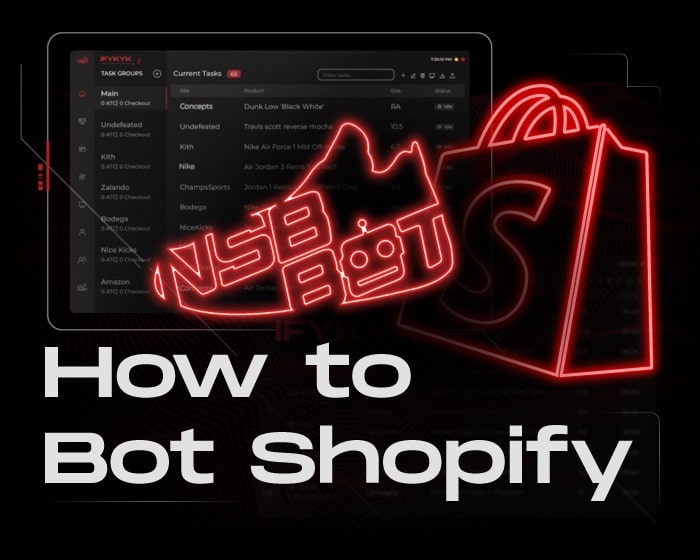
Inside NikeShoeBot, this monitor-linked automation mode is called Blue Tasks. Operators configure a sleeping task group with target keywords, preferred shoe sizes, billing profiles, and proxy lists. When the central monitor detects a matching SKU across any supported boutique domain, the sleeping task wakes up immediately. That automated trigger executes the checkout flow even when the operator is away from the desk.
When Should You Start Tasks for Queue-it and Standard Releases?
Task start timing depends on whether the boutique uses a standard first-come, first-served checkout or a virtual waiting room. Per Queue-it virtual waiting room documentation, high-traffic stores redirect shoppers into a pre-queue lobby during flash sales. The system then releases buyers to the checkout page in throttled batches. Starting tasks too early or too late on a queued release prevents tasks from receiving valid queue tokens.
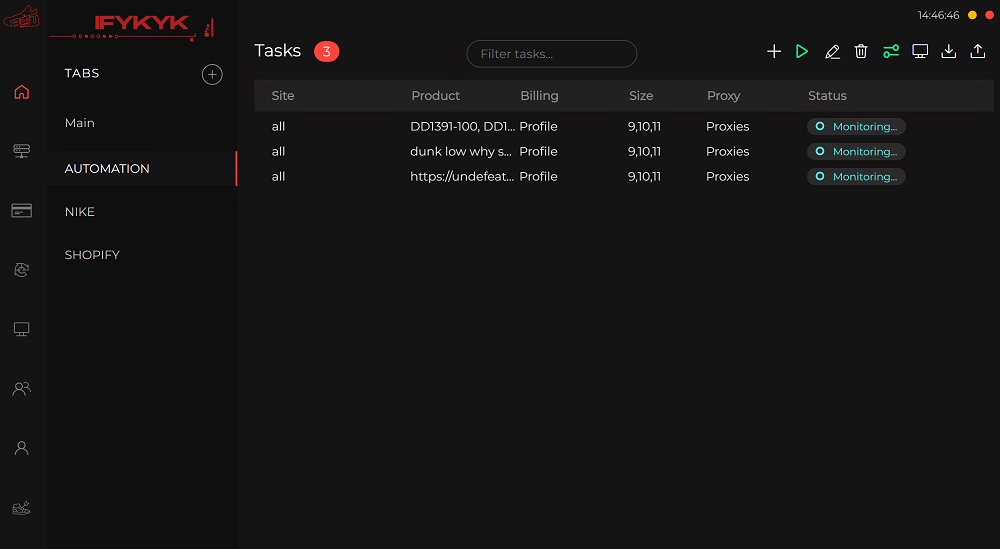
On Queue-it releases at boutiques like Undefeated or Shoe Palace, operators wait for the Discord monitor alert. Tasks should start the exact second the virtual waiting room goes live. On standard non-queued releases, starting tasks 5 to 10 minutes before launch establishes session cookies without exhausting proxy rate limits.
Start standard boutique tasks 5 to 10 minutes before launch, but hold Queue-it tasks until the exact second the virtual waiting room opens.
How Do hCaptcha and reCAPTCHA Solvers Prevent Checkout Delays?
Human verification checkpoints represent the final hurdle between adding a sneaker to cart and receiving an order confirmation. During peak drops, boutiques enforce Google reCAPTCHA v2/v3 Enterprise or hCaptcha challenges at multiple steps. Tasks encounter these prompts at both the cart-entry gate and the payment-submission screen. Manually clicking image grids across 20 simultaneous tasks adds 8 to 15 seconds of delay per task.
To prevent checkout timeouts, operators load aged Gmail accounts into built-in harvesters for one-click reCAPTCHA v3 trust scores. Many setups also connect automated third-party token services like CapSolver to process image challenges in parallel. Buyers should always comply with store terms and FTC online shopping rules while tracking scheduled footwear launches on our sneaker release blog.
| Checkout Checkpoint | Where It Appears | Manual Solving Time | Recommended Handling Method |
|---|---|---|---|
| reCAPTCHA v2 Checkbox / Grid | Pre-queue & checkout entry | 4 to 9 seconds per task | Aged Gmail harvester + API solver |
| reCAPTCHA v3 Enterprise | Background checkout scoring | 0.5 to 1.5 seconds (invisible) | 0.9-score aged Gmail cookies |
| hCaptcha Image Challenge | Bot-protection checkpoint | 6 to 12 seconds per task | Automated token API integration |
| Custom Text Question | Password page & cart gate | 3 to 6 seconds per question | Monitor auto-parse answer feed |
What is a negative keyword in sneaker bot task configuration?
A negative keyword is a word preceded by a minus sign (such as -gs, -td, or -shirt). It instructs the checkout task to ignore any product title containing that term.
How many tasks should you run per billing profile on boutique drops?
Most sneaker boutiques enforce a strict 1-pair-per-customer rule and cancel duplicate orders sharing identical billing details. Operators typically run 1 to 2 checkout tasks per unique payment card and address profile.