Cook Groups: The Complete Guide for Sneaker Botters
A limited release goes live at 10:00 a.m. Within seconds, one buyer gets a restock alert, starts a task that is already prepared, and checks out. Another is still refreshing a product page. The difference is rarely luck, and a big part of it usually comes from a cook group.
Cook groups are paid Discord or Telegram communities that give sneaker botters release information, live restock monitors, tested bot settings, and support for limited drops. Most paid groups charge roughly $20 to $60 a month, according to Proxyway’s cook group explainer. Paired with a bot like NikeShoeBot, a good one swaps guesswork for a plan that has already been tested.
- Most members pay for the monitors, which post stock alerts with product links and sizes.
- A 2019 BotsThatWork review on Steemit put a beginner group at $30 to $50 a month, inside a $120 to $190 monthly setup.
- The group fee sits on top of your bot license, proxies, and server, so budget for the whole stack.
- Nobody can guarantee a checkout or a profit, and many retailers ban bots in their terms.
This complete guide for sneaker botters covers what cook groups are, how they work, what they cost, how to pick one, and how to run one alongside NikeShoeBot.
What Are Cook Groups?
A cook group is a membership-based online community built to help its members buy limited-edition sneakers and other high-demand items. Most are hosted on Discord, and some use Telegram. Members pay a monthly or annual subscription for access.
The name comes from sneaker slang. When a bot or a buyer checks out a product, they have “cooked.” A group exists to help its members cook more often by pooling the information and tools that would be hard to gather alone.
Members range from complete beginners to full-time resellers. Some join to buy pairs for themselves, while others join to resell for profit.

How Do Cook Groups Work?
A cook group works by bundling the six things a solo botter would otherwise have to find or build alone. Every group is different, but most offer a similar set.
Release Information
Release information is the drop calendar: dates, times, and the retailers carrying each release. Having it in one place saves hours of research and helps you decide which releases are worth your effort.
Monitors and Restock Alerts
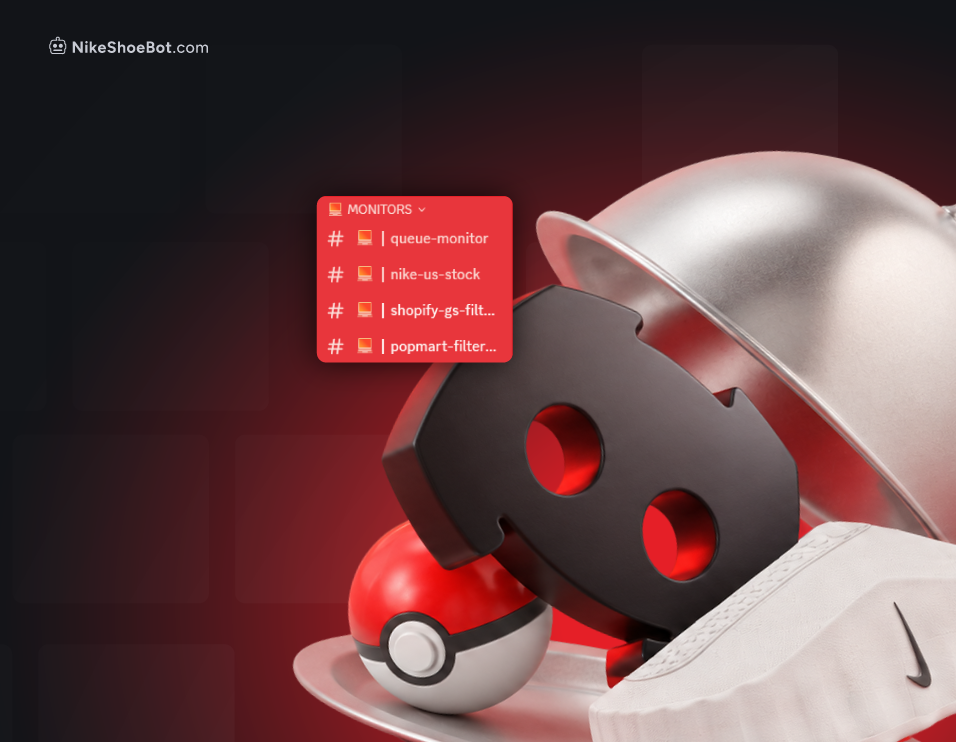
Monitors are automated feeds that post an alert when stock appears or changes on a retailer’s site. For many members, they are the main reason to pay. They run around the clock and usually include product links and size information, so you can act the moment stock lands.
Guides and Education
Guides are the teaching side of a group. Expect write-ups on how bots work, how to run proxies, how to avoid common mistakes, and how to approach resale. For newcomers, this material can be worth more than the alerts.
Market and Resale Analysis
Resale analysis is the group’s estimate of what a pair will sell for after the drop. It helps members judge whether a release is likely to be profitable. These are estimates, not guarantees, and prices can move quickly once a shoe is out.
Bot Support and Rentals
Bot support covers setup help, shared working settings, and in some groups, rentals for people who are not ready to buy a license. The BotsThatWork review suggests renting through a paid group as a low-risk way to see how botting works before you commit.
Community
The community is the people side. Members compare results, troubleshoot failures, and share what they learn. For beginners, having someone to ask can make the difference between giving up and getting better.
How Do Cook Groups Fit with NikeShoeBot?
A cook group is one layer of a working NikeShoeBot setup, alongside the bot itself, proxies, and a server or reliable connection. Reviewers who have covered the bot treat the group as close to essential. The BotsThatWork review calls joining one practically necessary for a beginner.
Do You Need a Cook Group to Use NikeShoeBot?
No, a cook group is not required to run NikeShoeBot. The bot works on its own. For a competitive setup, though, reviewers describe a group as close to necessary, because of the monitors, settings, and guidance it adds on top of the software.
Can You Connect Your Group’s Monitor to NikeShoeBot?
Yes. Recent versions of NikeShoeBot include Discord integration, so you can hook your group’s monitor feed into the bot, according to Proxyway’s NikeShoeBot review. The bot also has its own release monitor.
The 2019 BotsThatWork review found many group monitors faster than the built-in one. At the time, starting a task straight from an outside alert was not supported, so users copied the link and created the task by hand. Features change between versions, so check the current NikeShoeBot documentation for how the integration works today.
Following Your Group’s Settings
Your group’s published modes and configurations are the right starting point if you are new to botting. Resist the urge to tweak every option yourself. Proxyway’s review gives the same advice: unless you are experienced, take your task modes from your group. Experiment once you understand what each option does.
Where Does NikeShoeBot Perform Best?
Shopify stores are NikeShoeBot’s strongest ground. The BotsThatWork review says the bot’s skills were honed mainly on Shopify, and Proxyway’s review notes it works very well there. Other site types can be harder for any bot, so use your group’s guidance to decide which releases are realistic targets for your setup.
How Much Do Cook Groups Cost?

A paid cook group usually costs between $20 and $60 a month, according to Proxyway’s explainer, with the price set by features and how exclusive the community is. The figures below come from published reports and reviews. Some are several years old, so confirm current prices before joining.
| Source | Published | Reported monthly cost |
|---|---|---|
| BotsThatWork NikeShoeBot review (Steemit) | July 2019 | $30 to $50 |
| OMR report on German cook groups | September 2022 | €20 to €50 |
| The Torch (student paper) profile of a reseller | October 2023 | $25 |
| Proxyway cook group explainer | Not dated | $20 to $60 |
In practice, expect something in the range of $25 to $50 a month for most paid groups. Over a year, that works out to $300 to $600 ($25 × 12 and $50 × 12).
What Does a Full Beginner Setup Cost?
A full beginner setup is the bot, proxies, a server, and the cook group, and the group is one of the smaller lines. The figures below are current prices: the bot from our product page (October 2026), proxies and servers from our sneaker bot cost guide (August 2025), and cook groups from Roundproxies’ 2026 cook group roundup.
| Item | Low (monthly) | High (monthly) |
|---|---|---|
| NikeShoeBot license ($499 every 6 months ÷ 6) | $83.17 | $83.17 |
| Proxies | $50 | $250 |
| Server | $20 | $120 |
| Cook group (Secured to Divine full access) | $30 | $74.99 |
| All-in monthly estimate (our arithmetic) | $183.17 | $528.16 |
On those numbers, the cook group is roughly a seventh of the bill ($30 of $183.17 is 16%, $74.99 of $528.16 is 14%). Proxies are the line that swings the most, so pick them carefully and budget for the whole setup rather than a single line item.
Are Free Cook Groups Worth Joining?
Free groups are a fine way to learn the basics and get a feel for the community before you pay for anything. Paid groups tend to offer faster monitors, deeper guides, and more active support, which is what the fee buys. A higher price does not automatically mean a better group, so judge each one on what it delivers.
Some paid groups also run a free Discord server in front of the paid one for announcements, as the OMR report describes. That is a cheap way to watch how a group operates.
Are Cook Groups Worth It?
For most beginners, a cook group is worth it, because the alerts, guides, and people to ask shorten the learning curve. Whether one is worth it for you depends on how often you buy, the quality of the group, and the total cost of your setup.
A quick test: a $40-a-month group costs $480 a year. The drops it helps you land, plus the research time it saves, need to clear that after the rest of your setup is paid for. If you only run a few releases a year, a free server may be enough.
How Do You Choose a Cook Group?
Choosing a cook group comes down to seven checks you can run before paying:
- Monitor quality. Are alerts fast, accurate, and relevant to the sites you plan to target?
- Transparency. Does the group show real member results, or only highlight wins?
- Beginner support. Are there onboarding guides and a place to ask questions without being mocked?
- Bot compatibility. Does it offer setup help for the bot you use, including NikeShoeBot?
- Community activity. Is the server active and moderated, or quiet and full of spam?
- Refund and cancellation terms. Can you leave easily if it is not a fit?
- Payment security. Does it use established, trusted payment methods?
If possible, join a free tier or watch the public channels first. A few days of observation tells you a lot.
Can Beginners Join a Cook Group?
Yes. Many groups are built for newcomers, with onboarding guides and beginner channels. Look for one that explicitly welcomes first-timers and lets you ask basic questions without getting roasted.
What Are the Red Flags with Cook Groups?
The biggest red flag is a group that sells certainty. Not every one is worth your money, so watch for these warning signs:
- Scams and ineffective groups. Some are poorly run, share inaccurate information, or exist only to collect fees.
- Requests for sensitive information. Never share personal details or account login credentials with anyone.
- Unrealistic promises. Anyone guaranteeing profits or checkouts is not being honest. You will not win every release, and profit is never guaranteed.
- Pressure tactics. Countdown timers, “last spot” offers, and hype around capped memberships are sales techniques, not signs of quality.
Are Cook Groups Legal?
Joining an information community is generally not the issue. The risk sits in what you do with the information. Many retailers prohibit automated checkout in their terms of service, and using a bot can lead to cancelled orders or account restrictions.
This is not legal advice. Check the rules in your region and the policies of each retailer before you start.
What Happens if a Retailer Flags Your Bot?
A flagged order is usually cancelled rather than shipped, and the account behind it can be restricted or closed. That is a retailer decision under its own terms, so outcomes vary from store to store. Read each site’s policy before a drop, and treat any account you bot on as one you could lose.
How Do You Get the Most Out of a Cook Group?
Getting value from a cook group is mostly about setup on day one and honest notes after every drop.
- Read the rules first. Follow the group’s guidelines on sharing and behavior.
- Set up your alerts immediately. Configure notifications and monitor channels on day one so early drops reach you.
- Start with smaller releases. Practice on lower-pressure drops before you chase the most hyped pairs.
- Ask specific questions. “Why did my task fail on this site, with these settings?” gets better answers than “it is not working.”
- Track your results. Note what you tried, what worked, and what failed.
- Give back. Sharing your own findings builds goodwill and often leads to better help in return.
Tip: keep one running note per release with the site, mode, proxy type, and result. After five or six drops, the patterns are obvious.
What Is the Difference Between a Cook Group and a Bot?
A bot is software that automates the checkout process. A cook group is the community that supplies the information, alerts, and support around the buying process. Most successful setups use both: the bot handles speed, and the group tells it where and when to point.
| Bot | Cook group | |
|---|---|---|
| What it is | Software on your machine or server | A paid Discord or Telegram community |
| What it does | Runs tasks and checks out | Tells you what drops, where, and with which settings |
| How you pay | License, often yearly | Subscription, usually monthly |
| Can you run without it? | Yes, by copping manually | Yes, with free servers and launch calendars |
What Are the Alternatives to Cook Groups?
The main alternatives are free communities, manual copping, and retailer raffles. A paid group is not the only route:
- Free Discord communities for release news and general advice.
- Manual copping guides if you prefer to buy without a bot.
- Retailer launch calendars and raffles, which need no subscription and no automation.
These options cost less but usually bring less speed and support, so choose based on how seriously you want to compete.
Discord or Telegram: does the platform matter?
Not much. Most groups run on Discord and a few use Telegram. What matters more is monitor speed, moderation, and whether alerts can feed your bot. NikeShoeBot’s monitor integration is built around Discord.