NikeShoeBot guide
Topps guide
NikeShoeBot supports the following regions for Topps:
ToppsDE, ToppsES, ToppsFR, ToppsIT, ToppsJP, ToppsUK, ToppsUS.
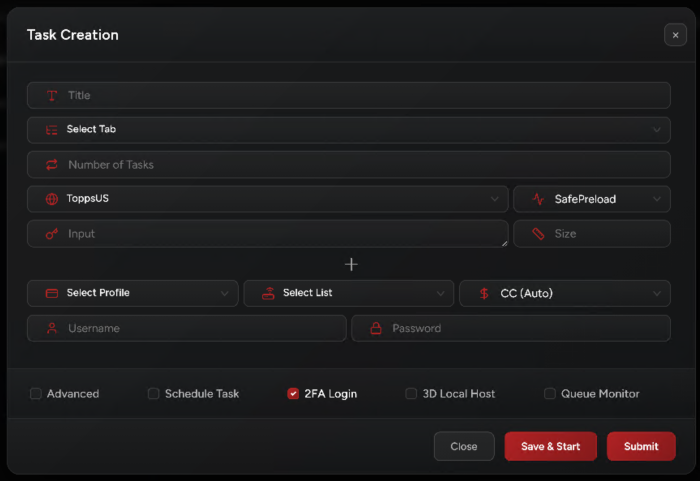
Task Creation
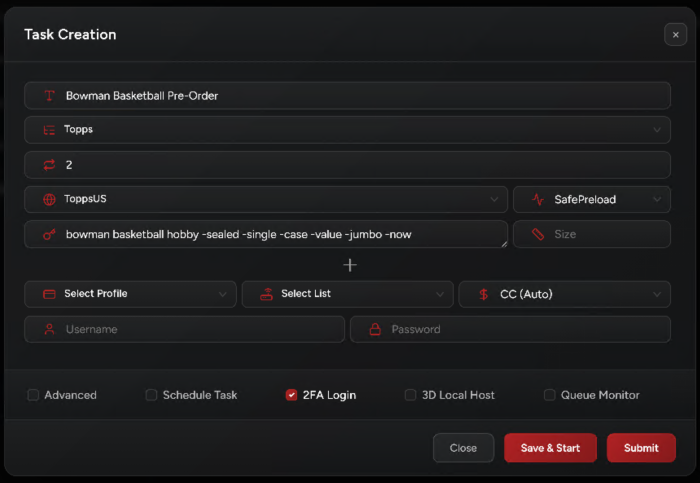
1. Input:
- For initial drops: use keywords.
- For restocks: use direct links.
2. Select SafePreload mode.
3. Select your billing, proxies, and payment method.
4. Starting Your Tasks:
Start 10 minutes before the drop.
5. Accounts:
- EU: Enable
2FA Loginon all your tasks. - US: Account is required. Enable
2FA Loginon all your tasks. - US: Create and run a
PrepareAccounttask for each of your accounts before the drop. Make sure all accounts show the “Account Ready” status before starting yourSafePreloadtasks.
6. Captcha:
- For EU and US regions, solve hCaptcha as fast as possible.
- NikeShoeBot will try to solve the challenges, but keep an eye on your tasks in case any need your help.
7. Important Note:
Update your Chrome / Edge browser to the latest version. This is mandatory to pass Cloudflare properly.
Setup Example