How Does NikeShoeBot Work? A Simple Discussion on What Goes on BTS!

Understanding how NikeShoeBot operates and specifically how does NSB work begins with a simple discussion on what goes on BTS. Across Shopify, Footsites, Demandware, and Supreme, the software monitors product SKUs and rotates residential proxies. It also resolves CAPTCHA challenges and submits encrypted billing profiles during live releases.
- Four-Stage Task Pipeline: Automates product SKU/keyword lookup, size-variant carting (ATC), shipping/billing submission, and payment tokenization.
- 200+ Shopify Storefronts: Supports over 200 pre-configured boutiques (including Kith, Palace, and Undefeated) plus custom Shopify domain monitoring.
- Global Multi-Site Coverage: Spans North American Footsites, 16 Footsites EU countries, 30 Demandware/Adidas locales, and 3 Supreme regions (US, EU, JP).
- Supporting Infrastructure: Combines residential/ISP proxy pools, cloud sneaker servers, and integrated or third-party CAPTCHA harvesters.
How Does NSB Work Behind the Scenes During a Live Drop?
Behind the user interface, an automated checkout task executes a four-stage HTTP sequence without manual clicks. Readers exploring what our automation platform is first configure a task group with a target storefront. Users also select a size range, proxy list, and saved billing profile. Once started, the task polls the retailer’s product endpoint until inventory goes live.

As soon as the monitor detects stock variants, the task selects the requested US, UK, or EU shoe size. It immediately transmits an Add-to-Cart (ATC) POST request to the retail server. Next, the engine passes any waiting-room queue, populates pre-saved shipping fields, and submits the payment token. Leading platforms such as Valor AIO, Cybersole, and Stellar AIO alongside NikeShoeBot follow this structured workflow.
Which Storefronts and Regional Domains Do AIO Modules Support?
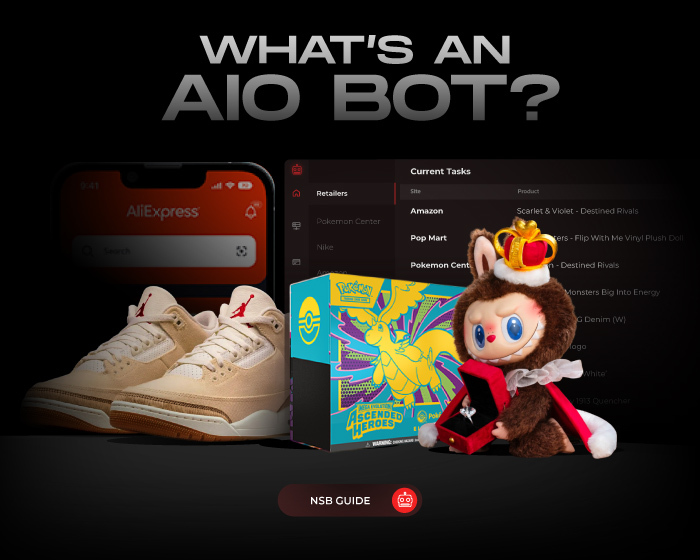
An All-In-One (AIO) architecture groups multiple retail engines inside a single desktop dashboard for multi-site drops. Collectors do not need separate single-site tools for every retailer. The Shopify module covers more than 200 pre-indexed boutiques including Kith, Undefeated, Concepts, and Shoe Palace. Users can also enter any custom Shopify store URL to monitor regional boutique launches across global time zones.

Beyond Shopify, the Footsites checkout module supports Foot Locker, Kids Foot Locker, and Champs Sports across North America. It also covers up to 16 European country domains including the UK, France, and Germany. Demandware modules cover up to 30 regional locales across the US, Europe, Canada, and Southeast Asia. Dedicated modules also handle Supreme (US, EU, JP) and Nike SNKRS Draw entries.
| Storefront Engine | Supported Retail Coverage | Primary Lookup Method | Typical Release Format |
|---|---|---|---|
| Shopify Module | 200+ boutiques + Custom Shopify URLs | Keywords, Variant ID, or Direct URL | FCFS & Checkpoint Queue |
| Footsites (NA & EU) | US/CA chains + 16 EU country regions | Product ID (PID) / 8-digit SKU | Queue-it Waiting Room |
| Demandware / Regional | Up to 30 US, EU, CA & SEA locales | 9-character Style Code / PID | Splash Page & Queue Draw |
| Supreme (Global) | 3 regional stores (US, EU, Japan) | Category + Positive/Negative Keywords | Weekly Thursday 11 AM Drop |
How Do Product Monitors and Keyword Filters Detect Restocks?
Boutique restocks and shock drops often occur outside scheduled 10:00 AM release windows. Because of that unpredictability, background product monitors continuously watch storefront catalogs. Users configure monitors using three primary identifiers: a direct product URL, a Product ID (PID), or boolean keyword strings. Positive keywords match the model name while negative keywords exclude kid sizes or apparel.
For example, entering `+jordan +4 +fear -gs -ps -td` instructs the Shopify monitor to match adult pairs only. Youth listings and matching t-shirts are automatically ignored during the drop. When a monitored JSON or XML endpoint switches to in-stock, the monitor wakes sleeping checkout tasks automatically. Separating monitoring threads from checkout threads keeps checkout proxies fresh before a drop starts.
“Separating monitor threads from checkout tasks preserves residential proxy health while waking tasks the instant stock appears.” – E-Commerce Automation Guide
Why Do Automated Tasks Require Residential and ISP Proxies?
Running multiple concurrent checkout tasks from a single home router IP triggers immediate rate limiting on retail servers. To distribute requests cleanly, buyers pair their tasks with our guide to the best proxies for sneaker sites. Each proxy acts as an intermediary IP address for a single task. That setup makes 50 individual tasks appear as 50 separate shoppers in different cities.

Two main proxy categories serve different drop mechanics across retail platforms. ISP and datacenter proxies sit on commercial fiber networks and cost $1.50 to $3.00 monthly per IP. Because they offer unlimited bandwidth, ISP proxies work best for long monitoring sessions. Conversely, rotating residential proxies route traffic through home ISPs and cost $35 to $90 per 5 GB to 10 GB.
How Do CAPTCHA Harvesters and Edge Firewalls Interact?
During high-demand launches, retailers deploy edge security layers to filter automated traffic and enforce store checkout rules. According to Cloudflare Bot Management documentation, edge firewalls inspect TLS handshakes, HTTP headers, IP reputation, and mouse telemetry. Meanwhile, FTC online shopping rules govern e-commerce consumer protections and shipping standards across US storefronts.

When a Shopify checkpoint or Footsites queue presents a verification puzzle, tasks route it to a CAPTCHA solver or harvester. Signing into aged Gmail accounts inside the built-in harvester lowers the frequency of multi-image puzzles. It also generates valid one-click tokens for waiting tasks in real time. Users can also connect external solving APIs such as AYCD AutoSolve or CapMonster. Keeping three to five harvesters active prevents token bottlenecks during peak drops.
| Infrastructure Component | Primary Technical Role | Recommended Ratio per Drop | Typical Market Cost Benchmark |
|---|---|---|---|
| Residential Proxy Pool | Rotates consumer ISP IPs for queues | 1.5 to 2 proxies per checkout task | $35 – $90 per 5-10 GB plan |
| Static ISP Proxies | Unmetered monitoring & restock polling | 25 to 50 static IPs per monitor group | $45 – $90 per 25-50 IP pack |
| Aged Gmail / Solver Accounts | Generates high-trust reCAPTCHA tokens | 1 aged Gmail per 3-5 Shopify tasks | $15 – $40 per 5-10 accounts |
| Cloud Sneaker Server (VPS) | Provides 1-10 Gbps low-latency uptime | 8-16 vCPU / 16-32 GB RAM instance | $45 – $85 per month (or hourly) |
How Do Sneaker Servers and Billing Profiles Complete the Setup?
Running hundreds of tasks alongside multiple CAPTCHA harvesters consumes substantial CPU threads and local upload bandwidth. Many collectors rent dedicated cloud instances detailed in our sneaker server setup guide. Remote servers place the software in Virginia, Chicago, or Frankfurt datacenters near retail host servers. A cloud virtual machine also prevents home Wi-Fi drops from interrupting a Saturday morning release.
Finally, users configure unique billing profiles and virtual credit card (VCC) numbers for each task group. This step complies with retailer one-pair-per-customer limits on hyped sneaker releases. Slightly varying address line formatting (such as “Street” versus “St.”) helps differentiate shipping profiles cleanly. Pairing each task with a distinct card token prevents automated duplicate-order cancellations after checkout. Exporting and importing CSV profile lists saves setup time before major holiday drops.
What is the difference between a Product ID (PID), a SKU, and a Variant ID?
A SKU or PID identifies the overall sneaker model and colorway on Footsites and Demandware (such as FQ8138-002). A Variant ID is a 14-digit Shopify code that points to one specific shoe size.
Why do tasks get stuck on “Waiting for CAPTCHA” during Shopify drops?
Tasks pause on CAPTCHA when no Gmail account is logged into the harvester or solver keys are empty. Opening the harvester and logging into a trusted Google account clears the queue.