Growing Your Setup – NSB Guide

How to Run 100 Tasks Safely?   For Nike: Use a unique proxy per task. Use ISPs or Resis, with a minimum of 30 mins lifetime for each Resi proxy. Use a unique card per task. Use a unique address per task. It’s better to stick to max 50 accounts per machine to avoid session…

Nike Drop Scenario – NSB Guide

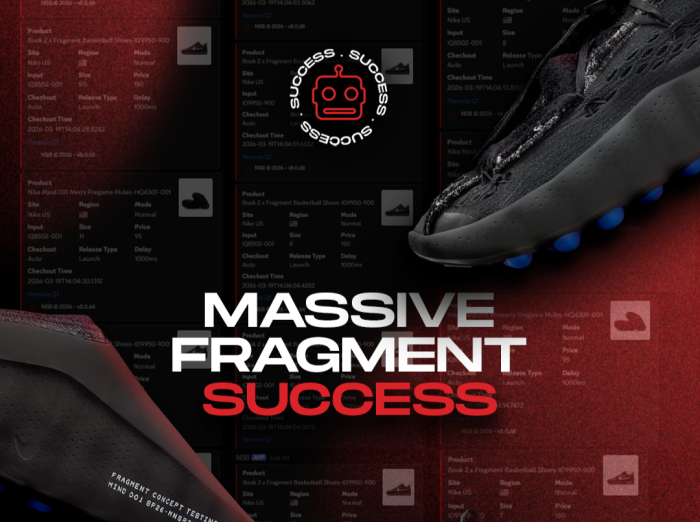
Fragment x Nike Mind Drops   Day: March 19, 2026 Drops: Fragment x Nike Mind 001 Black: IQ8502-001 Fragment x Nike Mind 002 Black: IQ8504-002 Fragment x Nike Mind 002 Particle Grey: IQ8504-001 Fragment x Nike Book 2 Black Sport Royal: IO9950-900 Nike Mind 002 Black: HQ4308-001     Setting Up       2…

Topps – NSB Guide

NSB supports the following regions for Topps: ToppsDE, ToppsES, ToppsFR, ToppsIT, ToppsJP, ToppsUK, ToppsUS.       Task Creation 1.  Input: For initial drops: use keywords. For restocks: use direct links.   2.  Select SafePreload mode.   3.  Select your billing, proxies, and payment method.   4.  Starting Your Tasks: Start tasks when queue goes…

NSB-GUIDES-Walmart

Walmart – NSB Guide

NSB supports the following regions for Walmart: WalmartUS and WalmartCA.       Accounts Setup You need to add your accounts to run Walmart. Go to NSB Accounts tab. Create a new group (from top left corner). Select Walmart as group type. Once the group is created, you may add your accounts by inserting emails…

Shopify – NSB Guide

Shopify Terms Anti-bot: This is a security measure done by sites to stop bots from successfully going through on their website. When anti-bot is on, make sure you use SafePreload mode for your tasks. Checkpoint: Browser Captcha solver will show up and the user is meant to start continuously solving manual captchas on that solver…

Supreme – NSB Guide

NSB supports Supreme for US, UK, EU, JP, KR, and any Supreme signup region.       Task Creation Select Mode: Focus SafePreload mode.   Select your Size: • Both Supreme sizing small, large, xlarge  and  s, l, xl work fine. • You can use the size that is available on the site (e.g. small,…

Funko – NSB Guide

NSB supports the following regions for Funko: FunkoDE, FunkoES, FunkoFR, FunkoGB, FunkoIT, FunkoNL, FunkoPL, FunkoRO, FunkoUS.       Task Creation Input: You may use the item URL or the item code as task input.   Accounts: • It depends on the item, some items may require accounts, some don’t. • If the item doesn’t…

Footsites – NSB Guide

NSB supports the following sites for Footsites: ChampsSport, ChampsSportsCA, Footlocker, FootlockerAU, FootlockerAustria, FootlockerBelgium, FootlockerCA, FootlockerCzechRepublic, FootlockerDenmark, FootlockerFrance, FootlockerGermany, FootlockerGreece, FootlockerHungary, FootlockerIreland, FootlockerItaly, FootlockerLuxembourg, FootlockerNetherlands, FootlockerNorway, FootlockerPoland, FootlockerPortugal, FootlockerSpain, FootlockerSweden, FootlockerUnitedKingdom, KidsFootlocker.       Task Creation Choose one of the Footsites from the sitelist.   Input: For Footsites you need to enter the item SKU.…

Finishline / JDSports – NSB Guide

    Task Creation Choose FinishLine / JDSports from the sitelist.   Input: • When creating a FNL/JDS task, you needs to enter 3 things: ProductID, StyleID, and ColorID. For example: https://www.finishline.com/store/product/air-jordan-retro-11-low-ie-basketball-shoes/prod902655?styleId=919712&colorId=102 For this item, the ProductID is: prod902655 (you may skip adding prod NSB will handle it), StyleID is 919712 (same as SKU for…

PopMart – NSB Guide

NSB supports the following regions for PopMart: PopMartAT, PopMartAU, PopMartBE, PopMartBR, PopMartCA, PopMartCZ, PopMartDE, PopMartDK, PopMartES, PopMartFI, PopMartFR, PopMartGB, PopMartGR, PopMartHK, PopMartHR, PopMartID, PopMartIE, PopMartIT, PopMartJP, PopMartKR, PopMartLV, PopMartMY, PopMartNL, PopMartNZ, PopMartPH, PopMartPL, PopMartPT, PopMartSE, PopMartSG, PopMartSI, PopMartTH, PopMartUS.       Task Creation Input: • You need to input the item PID. • The…