Pokemon Card Bot Setup Guide: Prepare for Pokemon Center Drops

At a glance: A Pokemon card bot setup pairs verified regional billing profiles, clean proxy subnets, and direct product URLs. Because Pokemon Center enforces strict queue controls and bank checks, preparing your inputs 24 hours ahead prevents checkout errors. However, we checked official trading card release specifications across current expansion drops. That review helps you build a reliable pre-drop workflow.
- Key takeaways: Match every task to 1 regional storefront, such as US, UK, or CA, because cross-region shipping addresses fail.
- Pack configuration: Official Pokemon.com specs confirm that each 30th Celebration Elite Trainer Box contains 9 booster packs, 1 foil promo, and 65 card sleeves.
- Proxy testing: Test your IP pool 12 to 24 hours ahead. However, always assign a 1:1 proxy-to-task ratio when running multiple tasks.
- Fee calculation: Under StockX and eBay fee schedules, StockX charges a 3% processing fee plus a 9% base fee. Meanwhile, eBay reports a 13.25% trading card fee.
What Is a Pokemon Card Bot and How Does Setup Work?
A Pokemon card bot is desktop automation software that monitors restocks, carts trading card sets, and submits checkout details.
However, software alone never guarantees an order when consumer demand spikes on a limited drop. Because retailers apply virtual waiting rooms and 3D Secure card prompts, your preparation decides whether a task reaches payment. If you are new, read our guide on what a Pokemon Center bot is first.
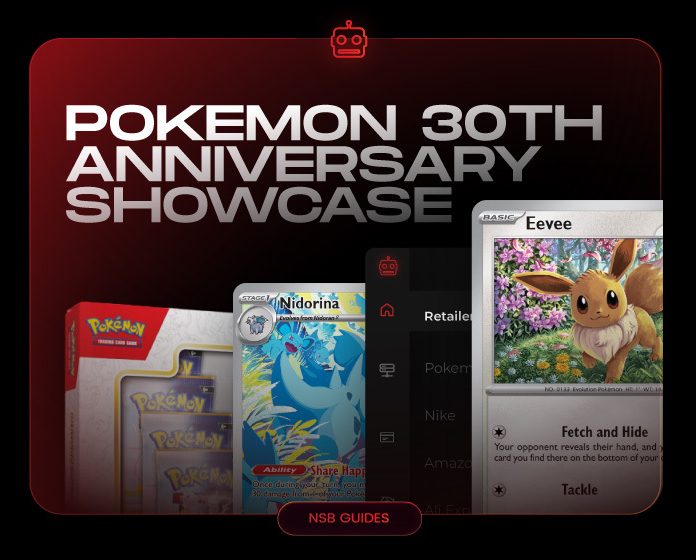
We checked the Pokemon.com 30th Celebration showcase and the official Pokemon TCG release calendar before launch day. Each 30th Celebration Elite Trainer Box holds 9 booster packs, whereas new portfolios store 60 cards. Inside NikeShoeBot, review the Pokemon Center module guide so your tasks match your store region.
| Preparation Stage. | Why It Matters for Your Tasks. | What Ready Looks Like 24 Hours Before Drop. |
|---|---|---|
| Target product selection. | Tasks need a specific SKU or URL to avoid carting accessories. | Official product URL or exact set name saved in your task group. |
| Regional store match. | US, UK, and CA stores enforce separate shipping boundaries. | Task region, shipping address, and card currency all match 1 region. |
| Billing profile check. | Expired cards or mismatched unit numbers fail at payment. | Card number, CVV, phone, and billing street verified in your profile. |
| Account readiness. | Retailers enforce household limits of 1 to 4 units per release. | Normal browser login tested with accessible email and phone. |
| Order verification. | A temporary card hold is not a confirmed shipment. | Confirmation email inbox and store order history open for review. |
- 3D Secure (3DS) Prompt.
- A security step where your bank asks you to approve a purchase in your app.
- Authorization Hold.
- A pending bank charge that only becomes a confirmed order after an email receipt arrives.
- Household Purchase Limit.
- A retailer rule capping the number of Elite Trainer Boxes shipped to one street address.
How Should You Configure Billing Profiles and Store Accounts Before Drop Day?
Your billing profiles and store accounts are the foundation of checkout readiness because retailers reject mismatched address fields.
Many failed checkouts happen because a buyer copies an old profile with an expired card or missing unit number. However, you can avoid that mistake by opening the NikeShoeBot Billings guide 24 hours early. Confirm that your active profile group is assigned to every task before saving.
You should also prepare for bank authentication prompts during the release window. On Pokemon.com, trading card box releases range from $50 to $160, which often triggers a 1-time passcode. Therefore, keep your phone unlocked beside your desk during launch morning. If a checkout stops at payment, read our payment declined troubleshooting guide, but do not edit your task delays.
Should You Use ISP vs Residential Proxies for Pokemon Center Tasks?
Choosing ISP vs residential proxies is a question of task volume, because 2 local tasks work differently than 25 tasks.
In network engineering, rate limiting controls the rate of requests sent or received by a network interface. Because too many tasks refreshing a page from 1 IP address trigger protection, the store throttles that connection. However, most IP rate blocks last for 15 to 60 minutes.
According to Proxyway, datacenter proxies are IP addresses hosted on servers, whereas residential proxies route through home internet connections. Therefore, test your IP list using our guide on how to test sneaker proxies before a drop. If 20% of a subnet fails according to your ping test, replace it via the NikeShoeBot Proxies guide.
Each 30th Celebration Elite Trainer Box contains nine booster packs. Therefore, limited-edition box drops remain the most heavily queued events on the store calendar.
How Do Direct Product URLs Compare With Keyword Monitoring Inputs?
Direct product URLs are the most accurate task input because they target one exact SKU without scanning other items.
When Pokemon Center publishes a product page before launch, pasting that full URL into your task removes guesswork. However, when a new expansion drops without an early link, you must use focused keyword rules instead.
For keyword monitoring, combine positive set names with negative keywords like plush, sleeves, or portfolio. On Pokemon Center listings, stores price accessories at $15 alongside Elite Trainer Boxes at $50. Therefore, negative keywords stop your task from carting the wrong item. Review how task groups and monitors work in the NikeShoeBot Tasks guide before launch morning, so your setup stays focused on the exact trading card set you want.
Why Do Tasks Stop at Queue, Cart, or Payment Stages on Release Day?
A stopped task means your request hit a specific filter at the monitor, queue, cart, or payment stage.
Diagnosing the exact stage saves you from making 5 random edits during a 10-minute release window. If your status stays on monitoring, check whether the product URL is live first. You can also compare the code with our task statuses troubleshooting guide. However, if the task fails after carting, follow our checkout failed troubleshooting guide.
You should also track secondary fee metrics if you sell duplicate boxes. According to StockX, sellers pay a 3% payment processing fee plus a 9% Level 1 fee, which equals 12%. Meanwhile, according to eBay, trading card orders over $10.00 carry a $0.40 per-order fee plus a 13.25% category fee. Market prices move and are shown for reference, not as a promise.
| Task Status Stage. | Most Likely Root Cause. | First Action You Should Take. |
|---|---|---|
| Product not found. | Wrong regional URL or item not yet published on the storefront. | Verify the official store region and check your positive keywords. |
| Queue or waiting room. | Storefront traffic throttling is active for all incoming buyers. | Keep the task running and do not restart or lose your queue place. |
| Cart or shipping error. | Item sold out in your region or shipping street format failed. | Check stock status on a browser and verify your profile region. |
| Payment declined. | Bank 3DS hold, CVV typo, or household purchase limit reached. | Check your bank app for a prompt and confirm store order history. |
Our Verdict and Pre-Drop Verification Checklist
A 5-step checklist is the best way to prepare your software for card drops.
Verdict: Our recommendation is to treat your automation tool as an execution checklist rather than a shortcut. Verify your regional domain, billing profile, bank alerts, and proxy health a day early. Doing so helps you avoid 9 out of 10 preventable setup mistakes. Before your first drop, compare your setup against our sneaker bot setup checklist so every group is ready.
- Region check: Confirm your task module, shipping address, and card all belong to 1 matching country domain.
- Profile audit: Verify card expiration dates, security codes, and apartment numbers 24 hours before the drop.
- Proxy benchmark: Test your IP pool, because removing proxies over 500 ms prevents connection timeouts.
- Input precision: Use the official product URL when available. Add negative keywords like plush and binder for keyword tasks.
- Order confirmation: Check your email inbox and store order history to confirm a real order number after checkout.
Does a pending bank charge mean your Pokemon Center order is confirmed?
No. A pending card charge is only a temporary authorization hold from your bank. Therefore, you must verify that an official confirmation email and order number appear in your store account history.
Should you change your task delays while waiting inside a Pokemon Center queue?
No. Restarting tasks or editing delays while inside an active waiting room resets your place in the queue. The store assigns a unique session token when your task first enters.