Running a sneaker bot for the first time can feel more complicated than it needs to be.
There are accounts to prepare, billing profiles to check, proxies to test and tasks to configure, and every retailer handles releases differently.
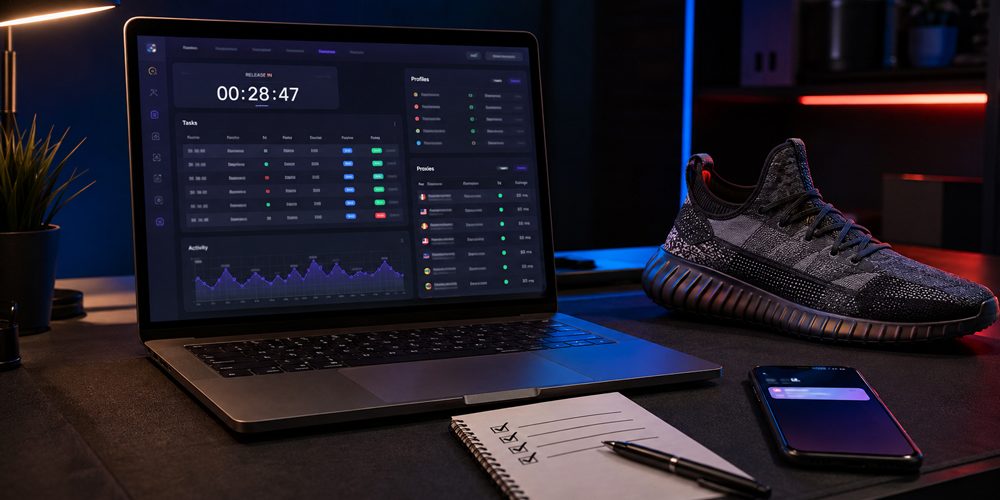
The most useful approach is to treat your first release as a structured process rather than a last-minute race. This sneaker bot setup checklist walks through the essential preparation, from choosing a release to checking your task logs after the drop.
No setup can guarantee a checkout. Stock levels, retailer systems, account status, payment approval, network conditions and demand all affect the outcome. Good preparation does, however, reduce avoidable mistakes and makes it much easier to understand what happened during a release.
Quick Sneaker Bot Setup Checklist
Before starting tasks for your first release, confirm that you have completed each of the following:
| Setup area | What to check |
|---|---|
| Bot software | The current version is installed, activated and opening correctly. |
| Release | The retailer, product, region, launch time and purchase rules are confirmed. |
| Accounts | Required retailer accounts are accessible and their contact details are current. |
| Billing | Name, address, payment information and region are accurate. |
| Proxies | Any required proxy list is correctly formatted and tested for the retailer. |
| Product input | The URL, SKU, PID, variant or keywords match the intended product. |
| Sizes | Preferred sizes and acceptable alternatives are selected. |
| Tasks | Site, region, account, billing, payment method and proxy group are correct. |
| Authentication | Login sessions, CAPTCHA requirements and one-time codes are ready. |
| Testing | The setup has been checked before release time without placing an unwanted order. |
1. Choose One Release and Learn How It Works
A common beginner mistake is trying to prepare for several unrelated retailers at the same time. For your first run, choose one release and understand its process before creating tasks.
Confirm the following information from the retailer or another reliable source:
- The official release date and time
- The correct time zone
- The country or region in which the release is available
- Whether a customer account is required
- Whether the launch uses a queue, draw, raffle, restock or first-come checkout
- Any published quantity or household purchase limit
- The available payment methods
Do not build a setup around an unconfirmed social media rumour. Release dates, product pages and launch methods can change. Recheck the information on the day of the drop.
2. Install and Update Your Sneaker Bot Early
Do not wait until the final hour to install or update your software. Complete the process early enough to resolve activation, operating system or security issues without the pressure of an approaching release.
The current version of NikeShoeBot supports Windows computers, Intel-based Macs and Apple silicon Macs. After installation, open the application and confirm that the dashboard loads correctly.
Your initial software check should include:
- Installing the latest official release
- Confirming that the licence or activation is valid
- Restarting the application after an update
- Checking that the correct retailer module is available
- Reviewing recent NSB announcements for module-specific instructions
- Making sure your operating system date, time and time zone are correct
Avoid downloading unofficial installers or modified copies. Apart from licensing problems, unverified software can expose account and payment information.
3. Prepare the Correct Retailer Accounts
Some retailers allow guest checkout, while others require an account or use account-based draws. Determine what the selected retailer requires before creating tasks.
Sign in manually at least once and check that the email address, phone number and delivery details are current. If the retailer requires email or phone verification, complete it before release time.
NSB allows supported retailer accounts to be organised from its Accounts area. The detailed NSB Accounts Guide explains the formats and account groups supported by the application.
For a cleaner first setup:
- Use accounts that you own and are authorised to access.
- Do not mix accounts from different retailer regions.
- Confirm that passwords work before importing them.
- Keep account groups clearly named by retailer and region.
- Do not store login details in unsecured spreadsheets or public documents.
- Review the retailer’s current terms and purchase limits.
4. Check Every Billing Profile Carefully
A task can reach checkout successfully and still fail because of an incorrect billing profile. Names, addresses and payment information should be entered accurately and consistently.
Before the drop, check:
- The cardholder’s full name
- The billing address registered with the payment provider
- The delivery address
- The postal or ZIP code
- The card number and expiration date
- Whether sufficient funds or credit are available
- Whether the retailer accepts the selected payment method
- Whether the bank may request a 3-D Secure confirmation
More tasks do not correct an inaccurate billing profile. If the underlying payment data is wrong, duplicating the same profile may simply create more failed attempts.
NSB users can review the application-specific process in the Billings NSB Guide.
5. Decide Whether Your Setup Needs Proxies
A proxy acts as an intermediary between an application and a retailer’s website. Whether one is appropriate depends on the retailer, region, task configuration and scale of the setup.
Beginners should not purchase a large proxy pool without understanding why it is needed.
Start with the requirements of the selected module and follow the current guidance provided for that retailer.
If proxies are part of the setup, check:
- The proxy format is entered correctly.
- The location is appropriate for the retailer and account region.
- The list is active and has not expired.
- Authentication details are correct.
- Latency is tested against the intended website.
- Failed or inactive proxies are removed from the group.
NSB supports proxy formats such as IP:PORT and IP:PORT:USERNAME:PASSWORD. Its built-in latency test can check the status and response time for a selected site. The exact import and testing process is available in the NSB Proxies Guide.
6. Confirm the Product Input and Size Rules
The product input tells the task what to monitor or purchase. Depending on the retailer, this may be a direct product URL, a SKU, a PID, one or more variants, or a set of product keywords.
Copying an old input from a previous release is risky. Confirm that it identifies the current product and that regional URLs have not been mixed.
Review the following:
- Does the URL point to the intended regional store?
- Does the SKU or product ID match the correct colourway?
- Are positive keywords specific enough to identify the product?
- Are exclusions needed to prevent an unwanted item from matching?
- Are the requested sizes actually available for that product?
- Is a random-size option acceptable for your goal?
- Have minimum and maximum price limits been set where appropriate?
7. Create a Small, Organised Task Group
Beginners often assume that creating the largest possible number of tasks automatically produces better results. In practice, a disorganised setup makes errors harder to identify and may place unnecessary pressure on accounts, proxies and payment profiles.
For your first release, create a manageable task group. Give it a descriptive name that includes the retailer, product and release date.
Each task should be checked for:
- Correct retailer or site module
- Correct country or region
- Product input
- Requested size or size range
- Assigned account, where required
- Billing profile
- Payment method
- Proxy group, where appropriate
- Maximum price and quantity
- Start time and task delays
The NSB Tasks Guide
explains how links, keywords, variants, SKUs, product IDs, sizes, payment methods and task groups are configured inside the application.
8. Prepare Login, CAPTCHA and Verification Requirements
Retailers may introduce login challenges, CAPTCHA checks, email codes, text-message codes
or payment verification during a release. These are not always predictable, so the best preparation is to make sure legitimate authentication methods are accessible.
- Confirm that you can access the account email address.
- Keep the verified phone available where applicable.
- Check that login sessions have not expired.
- Review the selected module’s current CAPTCHA instructions.
- Make sure the verification browser or solver opens correctly.
- Do not rely on an untested email-forwarding or OTP configuration.
NSB includes CAPTCHA-related functionality, but requirements vary between retailers and can change. Consult the current NSB CAPTCHA Guide and release-specific announcements before starting.
9. Test the Setup Without Placing an Unwanted Order
Testing should confirm that the application can open, accounts can authenticate, proxies can connect and tasks contain the intended data. It should not involve placing an order you do not want.
A safe pre-drop test can include:
- Opening NSB and checking for available updates
- Testing proxy latency against the intended retailer
- Confirming account sessions
- Reviewing billing profiles character by character
- Opening task groups and checking every assigned field
- Verifying that scheduled times use the correct time zone
- Checking application notifications and task logs
Avoid using a random live product for a full checkout test unless you genuinely intend to purchase it and the retailer permits the transaction.
10. Follow a Simple Timeline on Release Day
A few hours before the release
- Restart the application and check for updates.
- Confirm that the release has not been delayed or cancelled.
- Retest proxies and remove failures.
- Confirm account sessions and verification access.
- Review the final product input and sizes.
Shortly before the release
- Close unnecessary applications that consume system resources.
- Make sure the computer will not enter sleep mode.
- Keep the payment verification device nearby.
- Start tasks according to current module and release instructions.
- Watch task statuses without constantly changing the setup.
After the release
- Check retailer and payment-provider confirmations.
- Stop tasks that are no longer needed.
- Review logs before closing the application.
- Save useful error information for support.
- Record successful and unsuccessful configurations for future reference.
Common First-Drop Setup Mistakes
Most beginner problems come from a small group of avoidable mistakes:
- Installing or updating the bot immediately before launch time
- Using the wrong retailer region
- Entering an incorrect SKU, URL or keyword set
- Assigning the wrong account or billing group
- Using expired or untested proxies
- Selecting an unavailable size
- Ignoring email, phone or payment verification
- Running more tasks than the setup can be monitored effectively
- Changing several settings simultaneously without recording what changed
- Assuming that a failed checkout automatically means the software failed
A clean setup makes troubleshooting easier. If something goes wrong, change one variable at a time and use the task status or saved logs to identify the likely cause.
Build a Repeatable Process, Not a One-Time Setup
Your first release should help you build a process that can be improved. Keep a private record of the retailer, module, product input, task settings, proxy results and checkout outcome. Do not store full card details or account passwords in an unsecured document.
Over time, this record helps you distinguish between a configuration problem, an account issue, a payment decline, unavailable stock and a retailer-side change.
If you are still choosing your software, explore the current NikeShoeBot features and supported platforms.
Existing users can find retailer-specific instructions in the complete NSB Guides library.
Frequently Asked Questions
What do I need before using a sneaker bot?
At minimum, you need compatible software, a supported computer, a stable internet
connection, accurate billing information and the correct product or release details.
Depending on the retailer and setup, you may also need customer accounts, proxies and
access to email, phone or payment verification.
Do I need proxies for my first sneaker bot setup?
Not every release or task configuration has the same proxy requirements. Whether proxies
are appropriate depends on the retailer, module, number of tasks, account setup and region.
Follow the current instructions for the specific retailer instead of buying a large proxy
pool without a clear purpose.
How many tasks should a beginner create?
There is no universal number that works for every release. Beginners should start with a
manageable group they can verify and monitor. Account availability, billing profiles,
proxy capacity, retailer rules and computer resources all matter more than an arbitrary
task count.
When should I start setting up for a sneaker release?
Complete installation, account preparation and billing checks at least a day before the
release where possible. On release day, use the final hours for updates, session checks,
proxy tests and confirmation of product information—not for building the entire setup
from scratch.
Does a sneaker bot guarantee a successful checkout?
No. A bot automates parts of monitoring, task execution and checkout, but cannot guarantee
stock, payment approval or a successful purchase. Demand, retailer protections, account
status, task configuration, network conditions and product availability can all affect
the result.
What should I save when a task fails?
Save the task status, relevant logs, time of failure, retailer, module and a description
of what happened. Remove sensitive details such as passwords and full payment information
before sending anything to support.