NSB supports BooksAMillion (still in BETA).
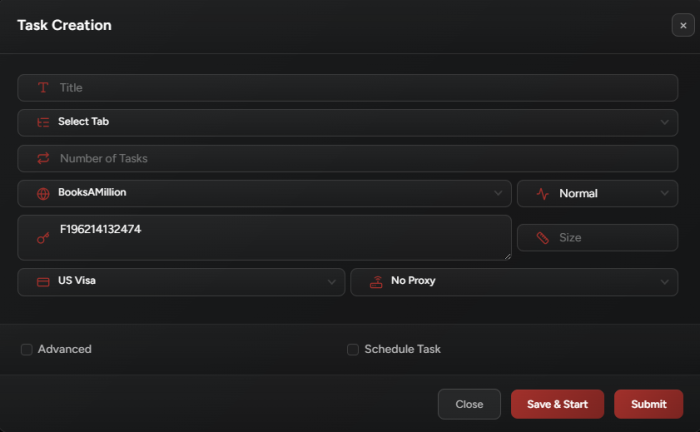
Task Creation
1. Normal Mode:
Use this mode if you are testing on an available item, running for initial drop, or if you want each task to monitor an item restock on its own (each task will keep checking if the item you want got restocked).
2. Monitor Mode:
- Purpose: Continuously checks the availability of specified Item Code(s).
- Restock Detection: When a restock is detected, a monitor task will notify all associated
Watchtasks, allowing them to proceed to checkout. - Multiple Items’ Codes: You can add Multi-SKUs per monitor task.
3. Watch Mode:
- Purpose: Waits for a matching
Monitortask to detect a restock of a specific item. - Triggering:
- Once a restock is detected, the
Watchtask proceeds to checkout. - You can add multiple SKUs to a
Watchtask (same as the Monitor task above).
- Once a restock is detected, the
- Persistence:
- Watch tasks run continuously until manually stopped.
- After checkout, the task automatically restarts to maximize the chances of securing multiple restock checkouts.
- Auto-Restart: If the task fails to checkout within 2 minutes, it auto-restarts to attempt checkout again.