Normal Mode: Used when testing or trying to checkout directly an available item.
Generator Mode: You can put anything in the input field but make sure you assign a valid billing profile to task as NSB will use the billing profile address details to register the account. Note: Address 2 is a required field when generating accounts on Bol.
Password Reset Mode: In case you forgot an account password, you can use this mode to reset its password. NSB will use the password in accounts tab as the new account password.
Monitor Mode: Task will monitor the input and notifies watch tasks so each watch task can start checking out the item.
Watch Mode: Task will prepare and wait for monitor task (or Automation) to trigger it so it checkouts the item instantly.
Captcha: The task may require solving captchas upon account login, if it does, NSB will wait for a captcha token either from CapSolver (if you already have a key inserted in NSB settings’ tab) or from NSB captcha solvers (in Captcha tab).
Checkout: NSB only supports manual Ideal checkout: Once the task reaches checkout stage, it will send an Ideal Payment Link to your personal discord webhook (it will also show it in task logs) so you can manually complete the checkout by pasting the link in browser.
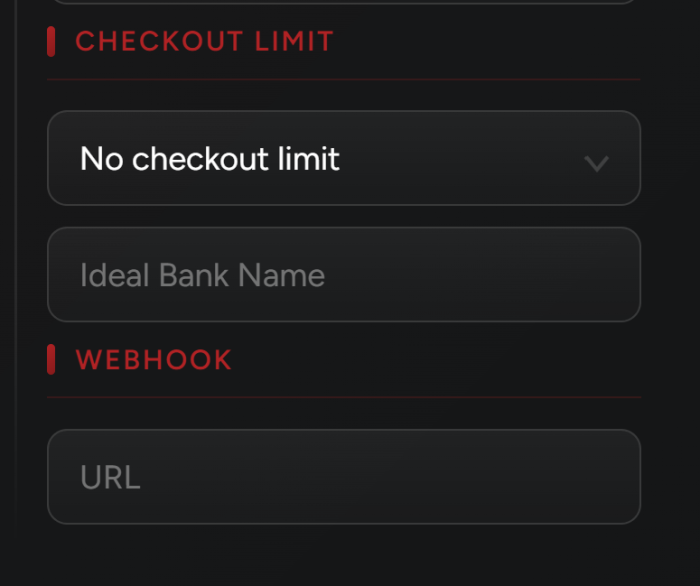
Specifying Bank: If you want to specify a certain bank so NSB can generate a checkout link which refers to this bank, you can do so by specifying the Bank Name in the billing profile assigned to task.The supported banks are: ABN Amro, ASN Bank, Bunq, ING, Knab, N26, National Nederlanden, Rabo Bank, Regio Bank, Revolut, SNS Bank, Triodos Bank, Van Lanschot Bankiers, Yoursafe.