Smyths Toys Task Setup
NSB3 supports the following regions for SmythsToys: SmythsToysFR, SmythsToysUK, SmythsToysIE, SmythsToysAT, SmythsToysSW, SmythsToysDE, SmythsToysBE, SmythsToysNL

-
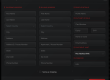
Input: You need to input the item link.
-
Payment Option: By default, the task will use Card (auto checkout) as payment option. You can choose the other option, which is PayPal (manual). If selected, the task will send you a PayPal checkout link to your Discord webhook (and in task logs) to manually complete the checkout. Ideal Checkout is an option for NL only. When enabled, NSB will send you the Ideal Checkout link to complete the purchase.
-
Proxy: It’s recommended to use 1 proxy per task. Don’t reuse the same proxy on multiple tasks.
-
Login: Some items require accounts. You need to add your accounts in NSB accounts tab, and then you may select them in tasks tab by enabling the “Login” checkbox
-
Store Pickup: Some items don’t have “Delivery” as an option; in this case, you need to enable “Store Pickup”. NSB will select the store matching the zip code of the shipping address in the billing profile attached to the task. If it fails to find a matching store, it will pick a random store.
Notes:
-
A browser will open and close by itself while running tasks. Don’t close it, as this will stop the tasks from running properly.
-
You may run tasks to monitor restocks.
-
Some checkouts might be ghost (fake checkout with no charge) because of site errors on restocks.